Every year, hundreds of workers suffer serious injuries from unexpected machine startups during maintenance. The root cause? Inadequate lockout tagout (LOTO) procedures. While training and enforcement are critical, having accessible, well-documented lockout tagout devices PDF guides can make the difference between a safe shutdown and a catastrophic incident.
These documents serve as on-the-ground references for maintenance teams, safety officers, and supervisors. They outline correct procedures, approved devices, and compliance requirements—ensuring that energy isolation isn't left to memory or assumption. This article breaks down what a lockout tagout devices PDF should include, how to use it effectively, and where to find or create high-impact resources for your workplace.
What Belongs in a Lockout Tagout Devices PDF?
A functional lockout tagout devices PDF isn’t just a scanned manual or a generic OSHA handout. It's a targeted, actionable document tailored to your facility’s machinery and workflows.
Key components include:
- List of authorized lockout devices with model numbers, compatibility, and limitations
- Step-by-step LOTO procedures for specific machines (e.g., conveyor systems, hydraulic presses)
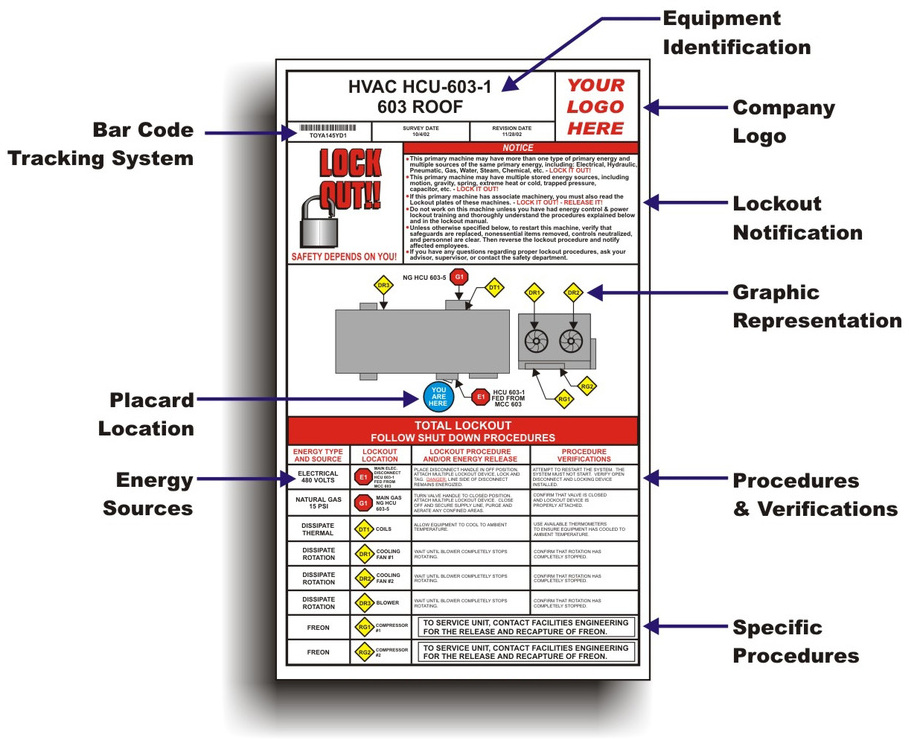
- Equipment-specific lock points marked with photos or diagrams
- Roles and responsibilities (who applies, verifies, and removes locks)
- Verification checklist for energy isolation
- Emergency release protocols for exceptional cases
For example, a packaging line with multiple energy sources (electrical, pneumatic, mechanical) needs clear visual cues in the PDF showing where to place valve locks, circuit breaker locks, and hasps. Without these details, workers may overlook a critical isolation point.
Include device specifications such as lock strength, temperature resistance, and compatibility with padlocks. A common mistake is assuming one lock fits all—plastic valve locks fail under high heat, and miniature circuit breaker locks may not secure newer breaker models.
Why a PDF Format Works Best for LOTO Implementation
Digital accessibility matters. While printed LOTO binders have their place, a well-structured lockout tagout devices PDF offers:
- Instant access on tablets or smartphones at the machine site
- Searchable content to quickly locate device specs or procedures
- Version control to ensure all teams use updated protocols
- Easy distribution across shifts and locations
- Integration with CMMS (Computerized Maintenance Management Systems)
Imagine a night-shift technician needing to service a malfunctioning CNC machine. Instead of flipping through a binder in dim light, they pull up the LOTO PDF on their rugged tablet, search “CNC-2000 lock points,” and follow a color-coded guide with embedded photos.
But beware: unsecured or outdated PDFs create risk. Always password-protect sensitive versions, restrict editing rights, and include a revision date on every page. A PDF without version tracking is worse than no document—it gives false confidence.

Common Lockout Devices You Should Document
Your lockout tagout devices PDF must specify exact tools used in isolation. Generic descriptions fail during audits and real-world use. Here are the most critical device types to include:
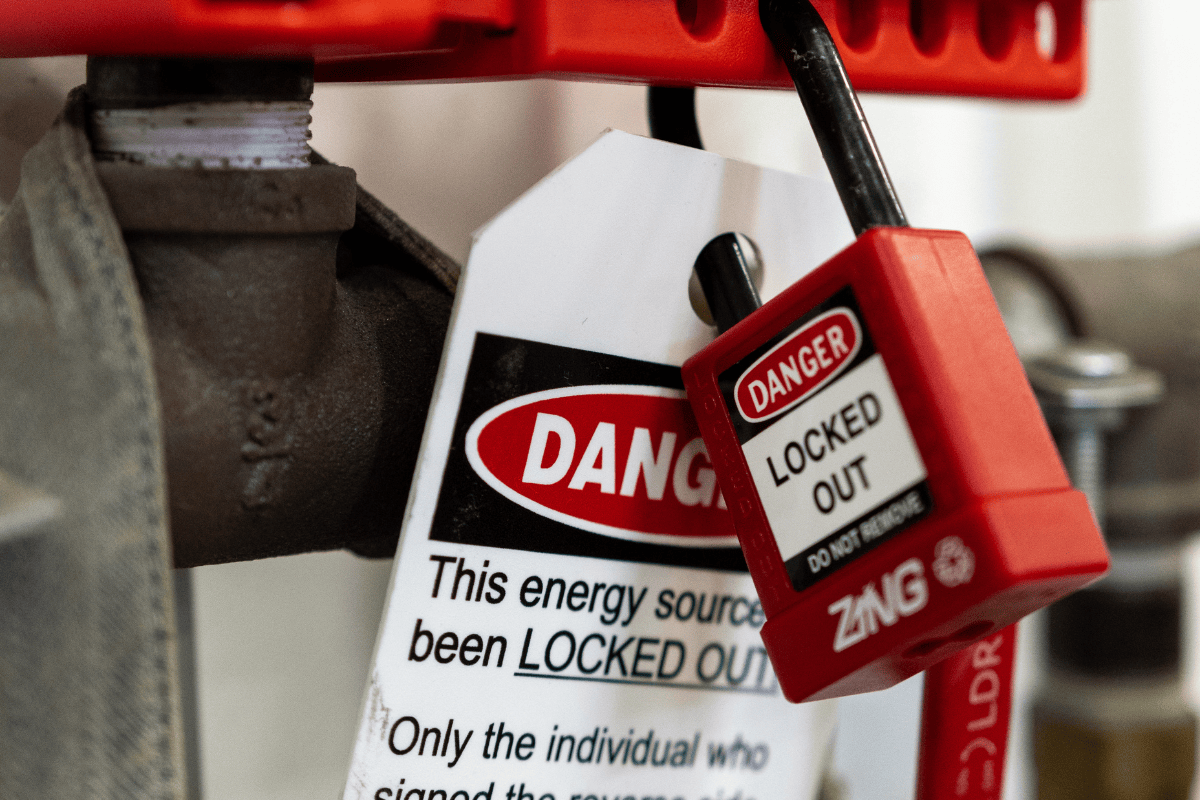
1. Padlocks and Lockout Hasps Each authorized employee should have a personal padlock with their name and contact info. Use only keyed-alike or keyed-different industrial locks resistant to tampering. Hasps allow multiple workers to apply locks during group maintenance.
Pro Tip: Never use combination locks for LOTO—they can be shared or guessed, violating OSHA’s one-person, one-lock rule.
2. Valve Lockouts Used on gas, water, and hydraulic lines. Document whether you use ball valve locks, gate valve covers, or universal wrap-style locks. Include torque specs if applicable.
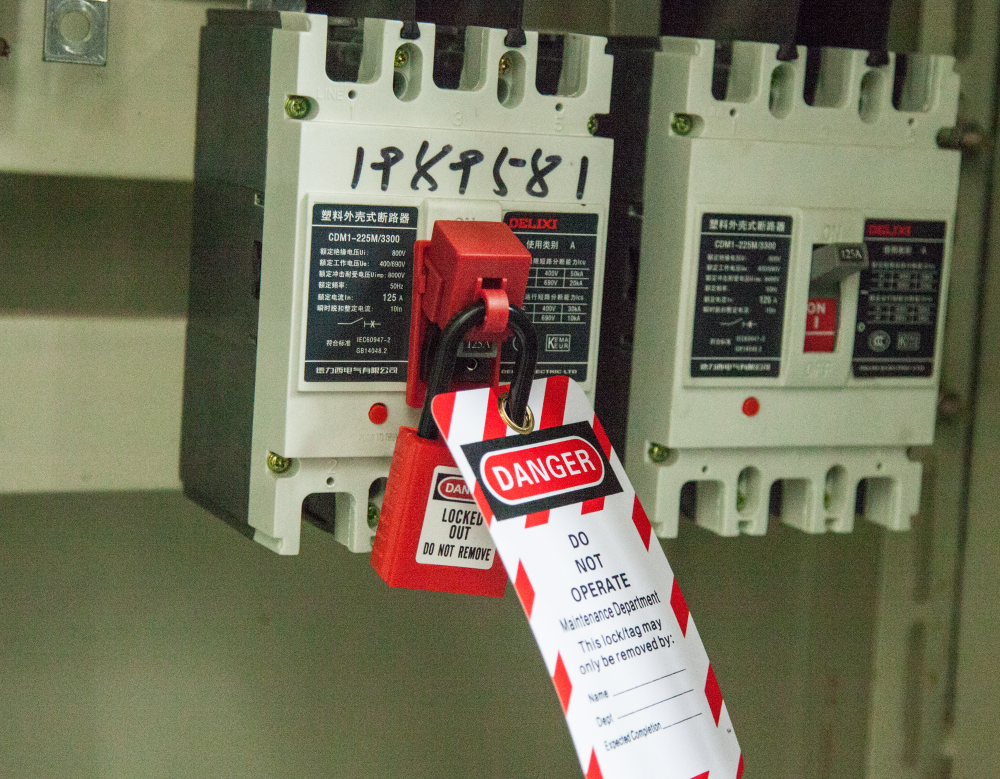
3. Circuit Breaker Locks Fit over breaker toggles to prevent re-energizing. List compatible models—many facilities discover too late that their locks don’t fit modern breakers.
4. Plug and Cord Locks Prevent reinsertion of electrical plugs during servicing. Ideal for portable equipment like grinders or drills.
5. Group Lockout Stations Centralized kits containing locks, tags, and procedure printouts. Your PDF should map station locations and inventory check schedules.
Including photos or diagrams of each device in use eliminates confusion. For instance, a photo showing a padlock securing a breaker lock versus a dangling tag with no lock demonstrates proper vs. non-compliant practice.
Top 5 Lockout Tagout PDF Templates and Resources
Creating your own LOTO document from scratch takes time. Start with proven templates, then customize. Here are five reliable sources:
| Resource | Key Features | Best For |
|---|---|---|
| OSHA 3120 Guide | Official LOTO standards, sample procedures | Compliance baseline |
| ANSI/ASSE Z244.1 PDF | Industry-recognized practices, device specs | Manufacturing plants |
| Grace Technologies LOTO Kit | Editable PDFs, device catalogs, audit forms | Energy and utility sectors |
| Master Lock Safety Reference Guide | Device compatibility charts, lock images | Quick visual reference |
| EPA Lockout-Tagout Workbook | Environmental facility-specific workflows | Water treatment, labs |
These aren’t plug-and-play solutions. You must adapt them. For example, OSHA’s guide doesn’t list brand-specific locks—add your facility’s approved models to avoid procurement errors.
How to Customize a LOTO PDF for Your Facility
A generic PDF won’t prevent accidents. Customization turns a template into a vital safety tool.
Start by auditing your equipment:
- Identify energy sources (electrical, hydraulic, thermal, gravity, pneumatic)
- Map all isolation points (disconnects, valves, bleed points)
- Select compatible lockout devices for each point
- Photograph each lock application
- Validate with a dry run (simulate LOTO without servicing)
Then build your PDF:

- Use a consistent format: machine name → energy types → lock points → device used → verification steps
- Add QR codes linking to digital versions at equipment stations
- Include a “last updated” timestamp and approver signature
One automotive plant reduced LOTO errors by 70% after embedding annotated photos in their PDFs—workers could compare real-time setup with documented examples.
Avoid the trap of overcomplication. A 50-page PDF no one reads is useless. Prioritize clarity. Use bullet points, bold warnings, and red callouts for high-risk steps.
Real-World Failures Due to Poor LOTO Documentation
In 2022, a food processing facility reported a fatality when a worker entered a mixer before verifying pneumatic lockout. The LOTO PDF existed—but it only covered electrical isolation and omitted air line valves.
Another case: a technician bypassed a lock because the PDF listed an obsolete circuit breaker model. The replacement breaker had a different shape, so no lock fit. The worker tagged it instead—OSHA cites “tag-only” systems as non-compliant without additional controls.
These incidents highlight two gaps: - Incomplete device coverage in documentation - Failure to update PDFs after equipment changes
Your lockout tagout devices PDF must evolve with your machinery. Assign a safety officer to review and revise documents quarterly—or immediately after equipment upgrades.
Integrating LOTO PDFs Into Training and Audits
A document is only as strong as its use. Embed your PDF into daily operations.
- Training: Use the PDF during onboarding. Have new hires locate lock points using the guide.
- Pre-job briefings: Reference the PDF before starting maintenance.
- Audits: Print a checklist from the PDF and verify each step is followed.
One refinery uses a “LOTO PDF Challenge” during safety drills: teams are given a malfunction scenario and must retrieve the correct PDF, identify lock points, and select tools—all within 10 minutes.
Also, track PDF access logs if hosted on an internal server. Low engagement signals a need for better distribution or usability improvements.
Actionable Steps to Improve Your LOTO Documentation Today
You don’t need a full safety overhaul to start. Take these steps now:
- Gather existing LOTO documents into one folder—digital and printed
- Audit one high-risk machine this week: verify its procedure matches real-world lock points
- Update the PDF with current device models and photos
- Share it with your maintenance team and collect feedback
- Schedule quarterly reviews
A strong lockout tagout devices PDF isn’t just compliance paperwork—it’s a frontline defense against injury. It turns abstract safety rules into clear, visual, executable actions. Whether you're managing a single workshop or a multi-site operation, a well-crafted PDF ensures that every lock applied is the right lock, in the right place, at the right time.
Start today. Your next PDF update could prevent a life-altering accident.
Frequently Asked Questions
What should a lockout tagout devices PDF include? It should list approved devices, machine-specific procedures, lock point diagrams, roles, and verification steps. Include photos and model numbers for clarity.
Are digital LOTO PDFs OSHA-compliant? Yes, if they’re accessible at the worksite, up-to-date, and used as part of a formal energy control program.
Can I use a generic LOTO PDF from the internet? Only as a template. You must customize it for your equipment, energy sources, and workforce.
How often should I update my LOTO PDF? Review at least annually, or immediately after equipment changes, device upgrades, or near-miss incidents.
Who should have access to the LOTO PDF? All authorized employees, maintenance staff, and safety officers. Ensure mobile access during shifts.
Should the PDF include lock images? Yes. Visuals reduce errors and help new workers identify correct devices quickly.
Can a PDF replace physical lockout training? No. The PDF supports training but doesn’t substitute hands-on instruction and verification.
FAQ
What should you look for in Lockout Tagout Devices PDF Guide for Workplace Safety? Focus on relevance, practical value, and how well the solution matches real user intent.
Is Lockout Tagout Devices PDF Guide for Workplace Safety suitable for beginners? That depends on the workflow, but a clear step-by-step approach usually makes it easier to start.
How do you compare options around Lockout Tagout Devices PDF Guide for Workplace Safety? Compare features, trust signals, limitations, pricing, and ease of implementation.
What mistakes should you avoid? Avoid generic choices, weak validation, and decisions based only on marketing claims.
What is the next best step? Shortlist the most relevant options, validate them quickly, and refine from real-world results.